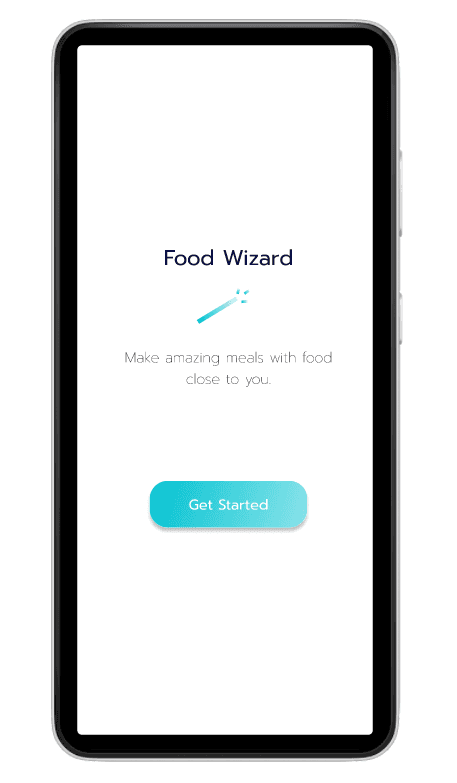
The Kitchen Wizard app was designed to achieve the reduction of food waste and increased support of local food suppliers. I observed that the existing apps are not meeting the goal of reducing food waste in a way that is time-efficient and personalized to individuals’ dietary preferences. This is causing individuals to throw away food and turn to larger grocery chains to purchase ingredients rather than to local food suppliers (farmers markets, small grocery stories etc.). How might we improve food apps so that our customers are more successful at meal planning based on budget, dietary requirements, and meal preferences?
An app was designed that
Enables users to easily track food they have on hand using image analysis to scan ingredients in their fridge or pantry.
Recommends recipes that use ingredients they already have or that can be purchased from local food providers.
Lets them see the price and availability of purchasing ingredients from smaller farms and businesses versus large food chains.
Lean UX focuses on creating a minimum viable product through a process of creating a series of hypotheses and rapidly testing those hypotheses (Interaction Design Foundation). This method was used in order to quickly get a prototype in front of potential users to understand which app features would be truly useful.
Participants were included throughout the design process, from regular interviews, to participating in short ideation sessions, through to evaluating mid-fidelity versions of the prototype. This was to ensure the users drove the creation of the solutions developed.
Research
Survey
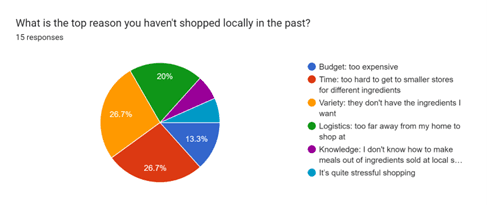
Sent out a survey to individuals in the UK identifying top challenges faced when tackling food waste.
Social Media Analysis
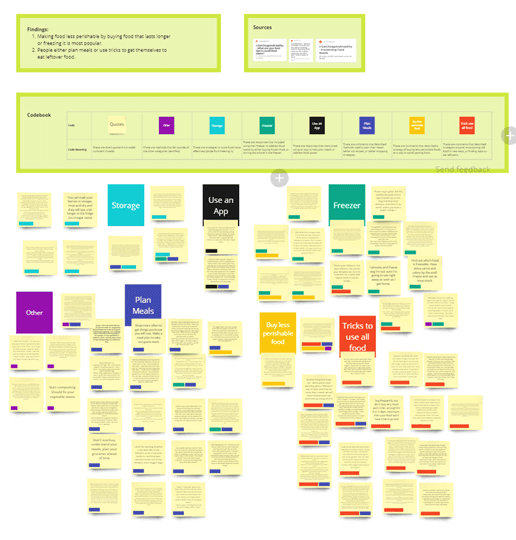
Used affinity diagramming to extract key themes from Reddit threads discussing food waste and meal planning.
Interviews + Ideation
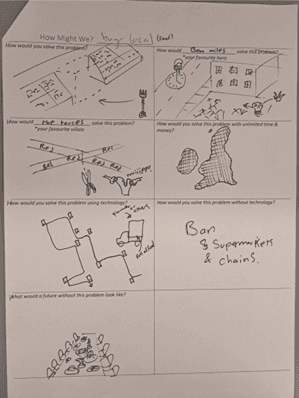
Interviewed potential app users and had them complete a drawing excercise where they brainstormed solutions to food waste.
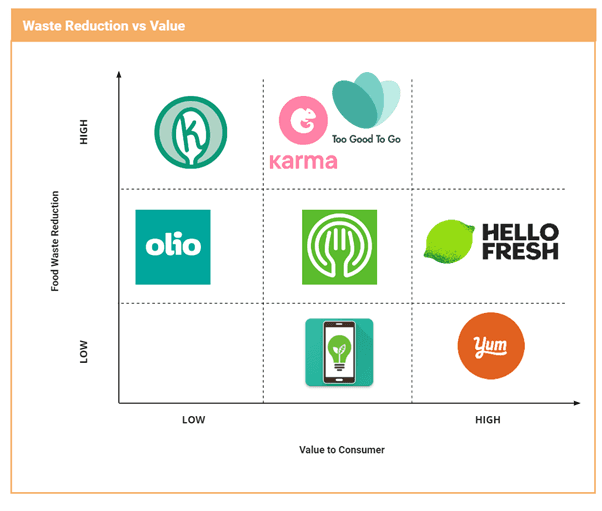
Competitor Analysis
Analysed competitors in order to identify gaps in the market and matched those with user needs identified.
Insights
How they planned meals
The majority of users make meals passed down from family members and do not necessarily set out to make new dishes. Rather they buy ingredients for dishes they already know, then want recipes for whatever ingredients they have left over.
Challenges
Planning meals and using existing services is time consuming and end up being more trouble than it is worth
It is difficult to find an effective meal planning service to find the best diet and use ingredients
Want to waste less food, but are not always able to identify why they waste food or how they could waste less food
Many issues stem from fresh produce and ingredients with a short life span. Partially due to the fact that food has travelled so far that by the time someone buys it the shelf life is very limited.
Have a difficulty balancing expiration dates between different foods
Tech Blueprint
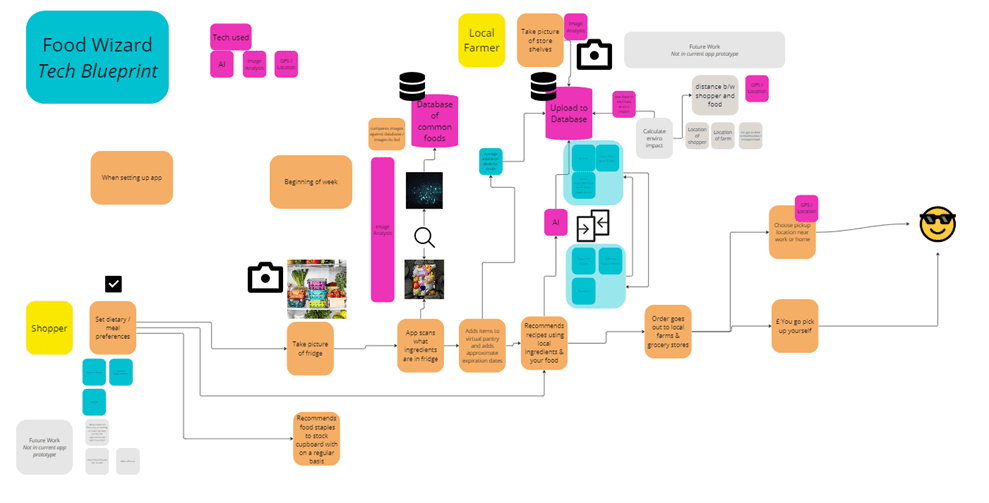
The tech blueprint above mapped out key touchpoints the user would interact with in the service as well as key technologies that would be required to support those touchpoints.
Ideate
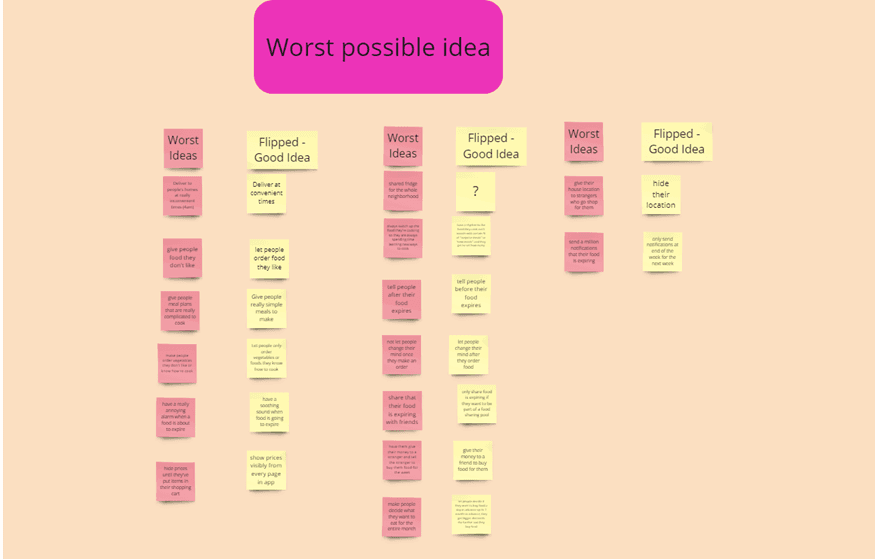
Worst Possible Idea
The worst possible idea technique was used to identify what would NOT solve the users's problems. These ideas were then flipped on their head to identify real solutions.
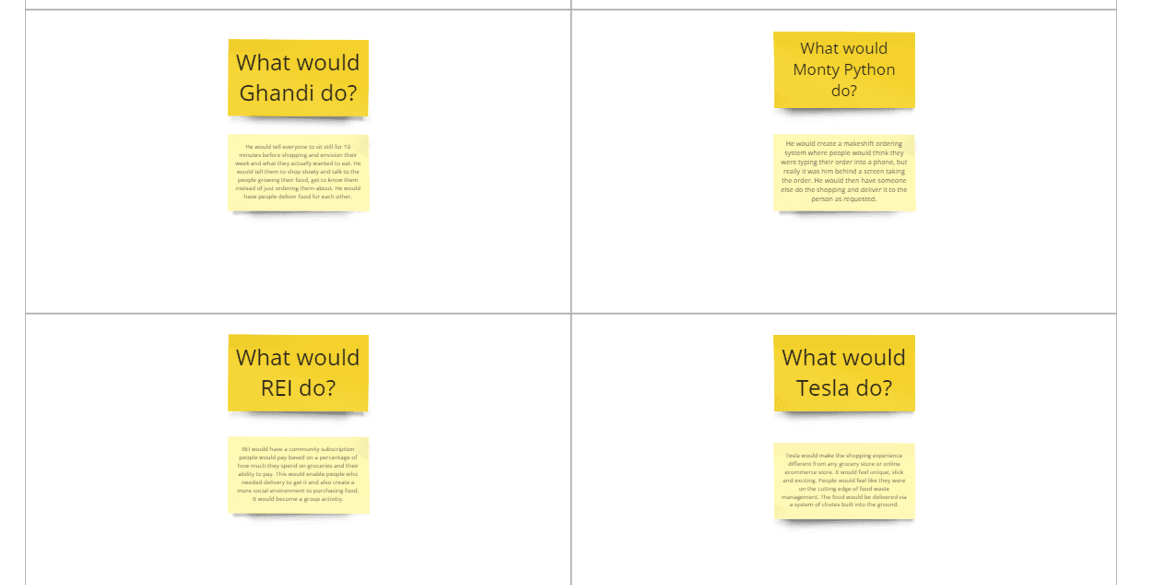
Ideation: Crazy 8s
The following ideation session used Crazy 8s to brainstorm ways that different popular companies or individuals would go about solving the problem identified.
Prioritisation
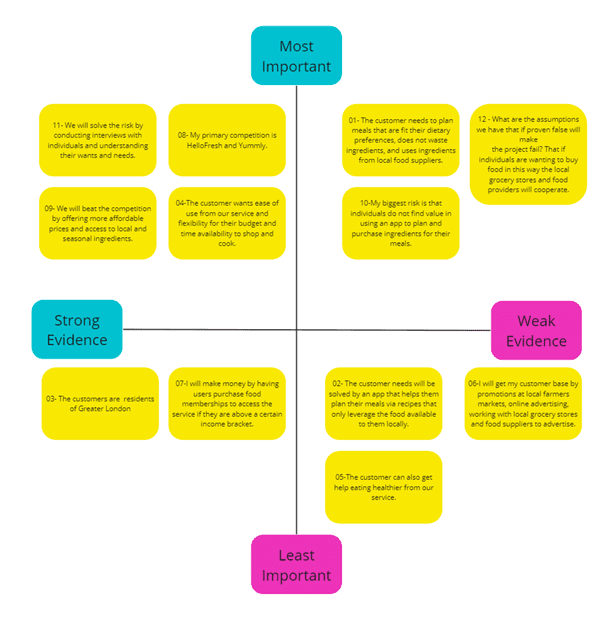
Assumption Mapping
Identified which assumptions about users and the app were important and had strong evidence.
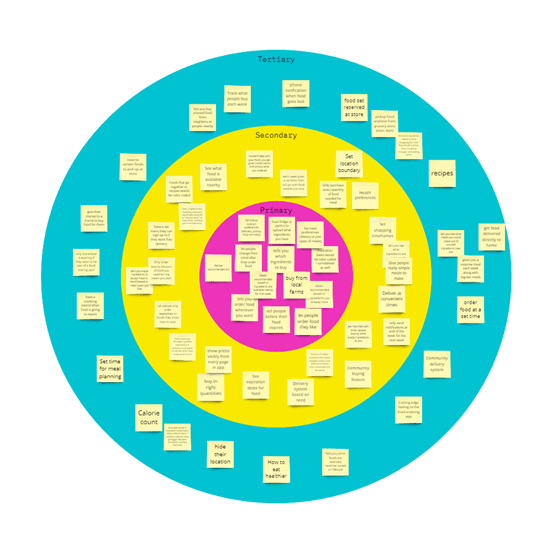
Bulls Eye Prioritisation
Prioritised features using a bulls eye map.
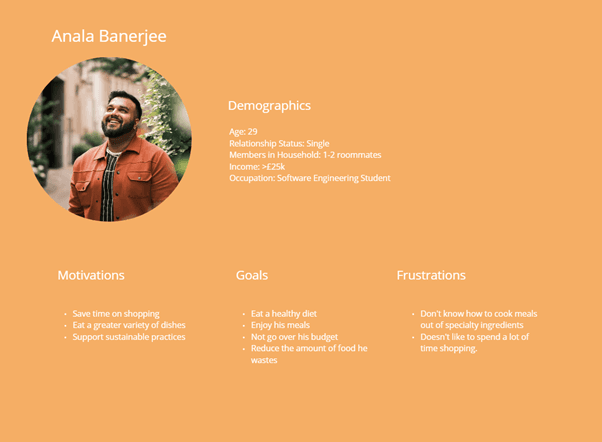
Proto Personas
Created proto personas and developed them further once more research became available in order to quickly identify key user needs.
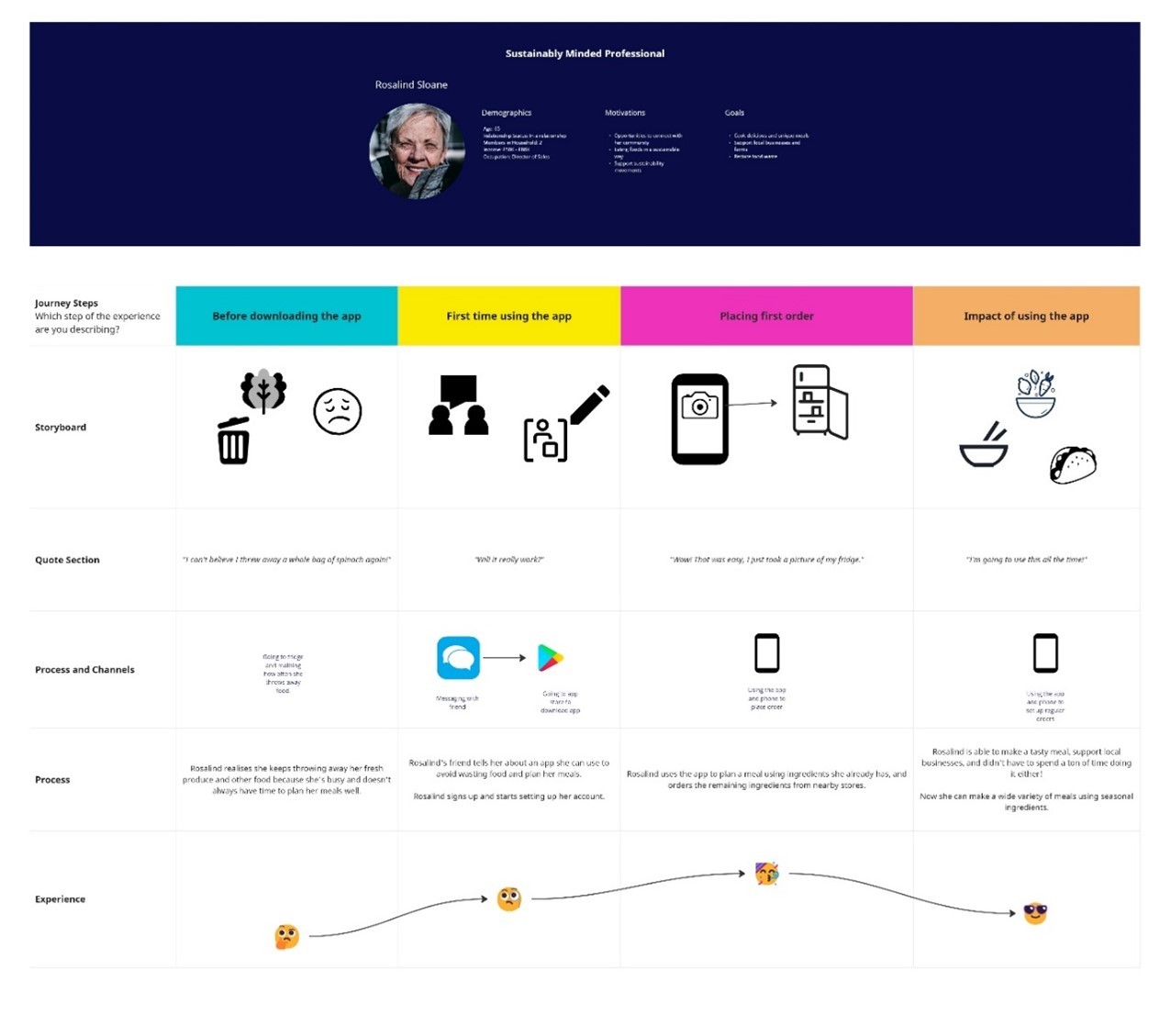
Customer Journey Map
Identified the entire journey for app users. to understand which features would be most valuable.
Lean UX Canvas
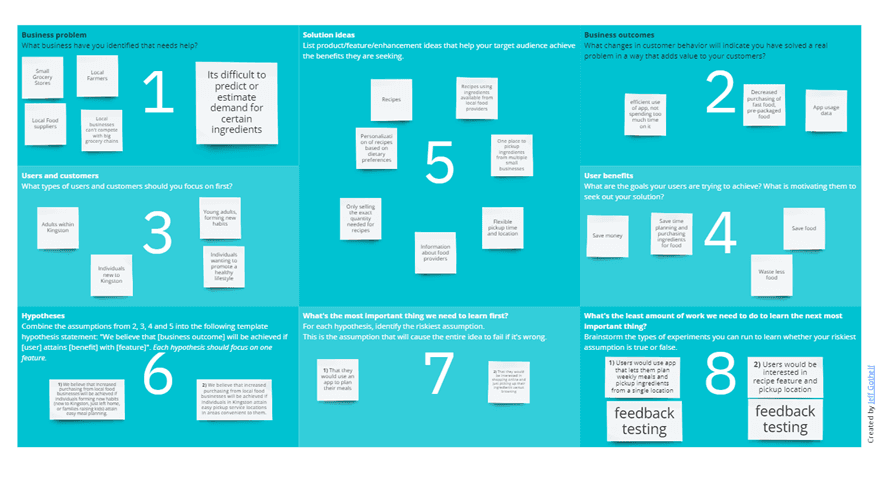
There were two versions of the Lean UX Canvas. The first version was created in the beginning of the project, then the final version above was created after more information was gathered.
Result
The final hi-fidelity prototype incorporates feedback from each round of testing on the low-fidelity versions.
You can preview a demo of the app here: https://www.figma.com/proto/WRDACBkOtUu7rf54vNwotG/Emerging-Tech--Elisa?type=design&node-id=58-951&scaling=scale-down&page-id=0%3A1&starting-point-node-id=6%3A116
*Please note that this is a prototype, and therefore has limited functionality. It is intended to give a general sense of how the app would work.
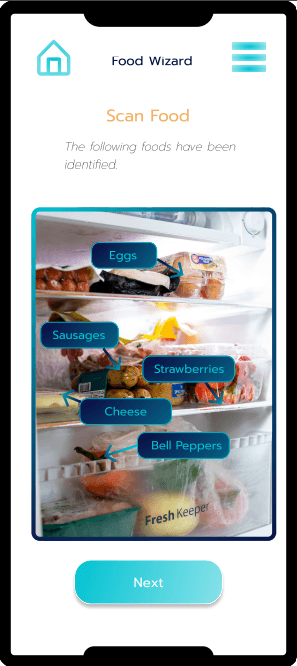
Scan Food Using Image Analysis
Users can quickly add ingredients they have on hand to the app database using image analysis scanning.
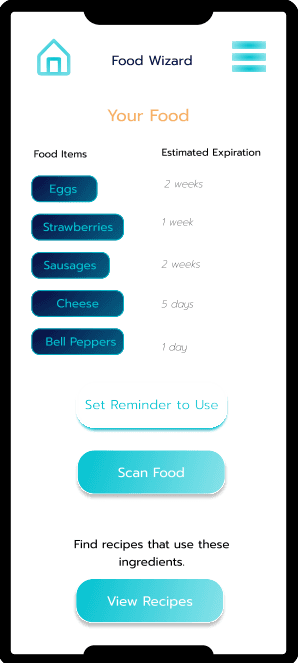
Expiration Dates
A common problem users described was not being able track the expiration dates of food and forgetting to use certain ingredients.
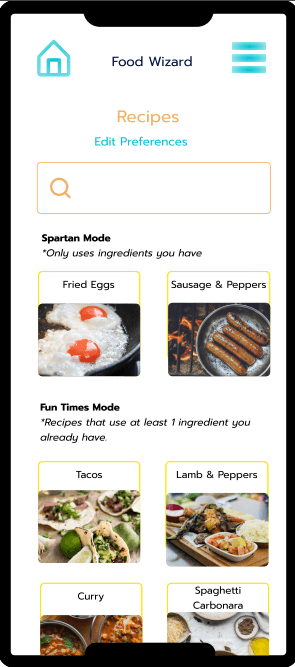
Recommends Recipes Based on Multiple Criteria
App users can get recipe recommendations based on budget, dietary needs, flavor preferences, or what ingredients they have on hand.
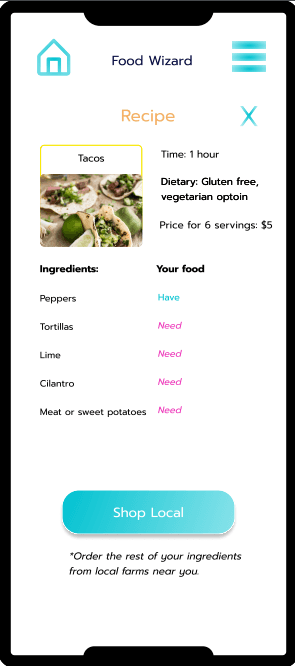
View Ingredients Needed
Users can view recipes and easily identify which ingredients they need to purchase.
They also have the choice to only view recipes using ingredients they already have on hand.
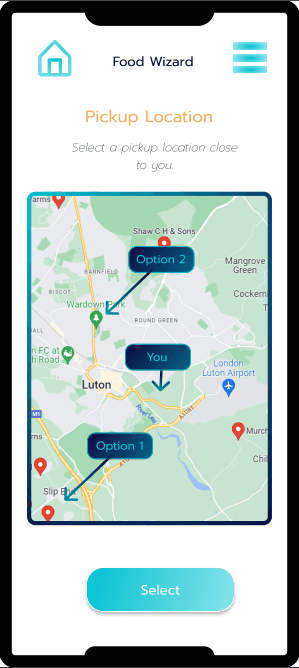
Order Locally
The app lets users order ingredients from small businesses or local farms that may not have an online presence. It lets them choose a pickup location near them to make the shopping experience convenient.
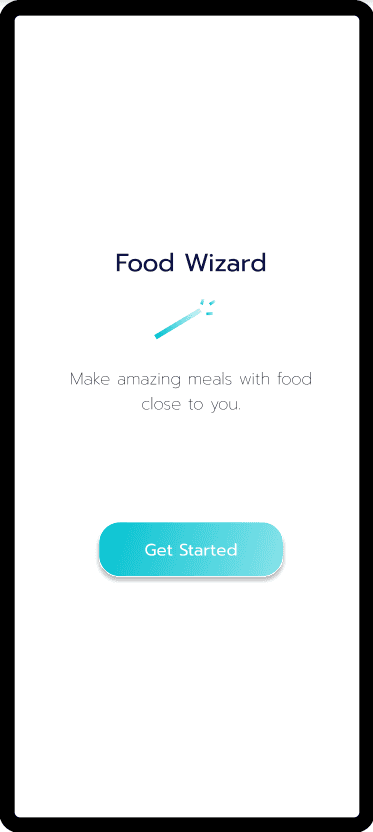
Minimal Aesthetic
The app focuses on a bright, yet minimal aesthetic to keep the focus on the purpose of the app - food waste reduction and meal planning.
2023
Project for Kingston University by Elisa Morrison